Champions Module Pro
Crown the best
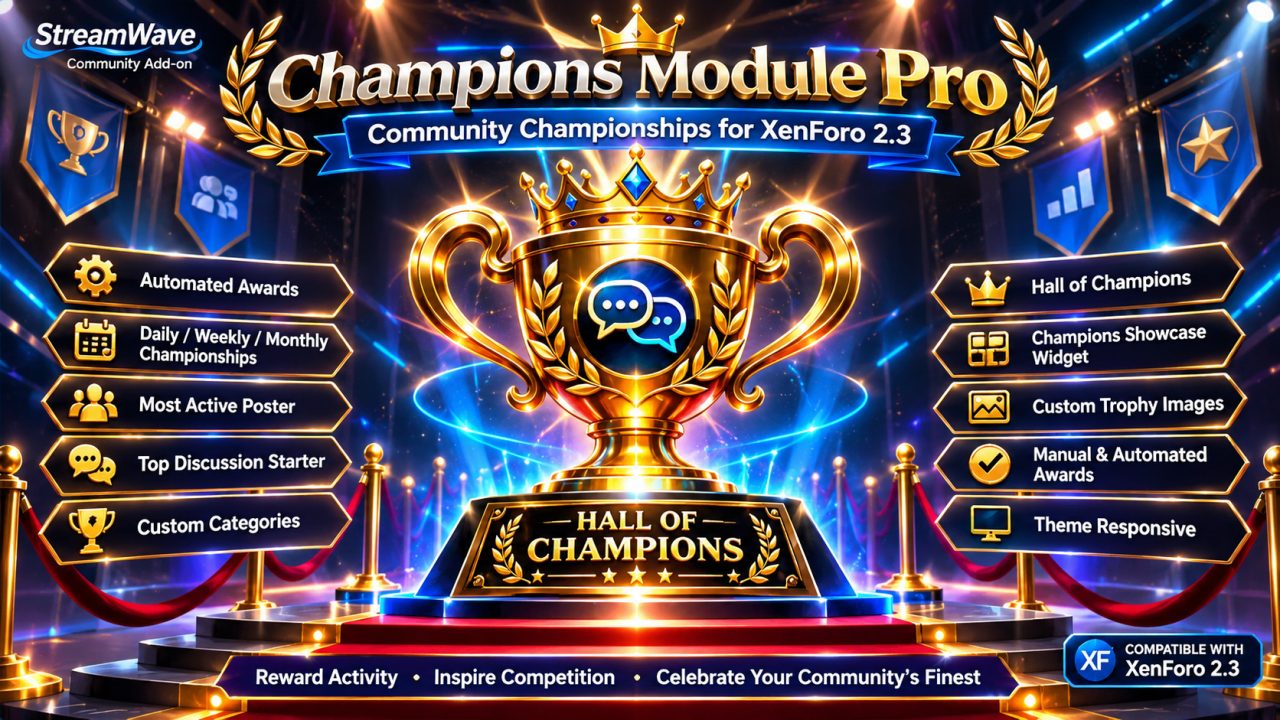
Overview
- 🏛️ Hall of Champions
- Give your community's champions the recognition they deserve with a dedicated public Hall of Champions.
- The Hall of Champions provides an attractive central location where members can explore current championship holders and previous winners.
- Features include:
- Current championship holders.
- Custom championship trophy images.
- Member avatars.
- Clickable member profile links.
- Championship category filtering.
- Award descriptions.
- Championship periods.
- Historical award archive.
- Lifetime championship statistics.
- Responsive championship cards.
- Theme-responsive colors and styling.
- The historical archive allows championship achievements to remain part of your community's history even after a title has expired.
Champions Module Pro – Automated Community Championships for XenForo 2.3
Reward activity. Inspire competition. Celebrate your community's finest.Champions Module Pro transforms your XenForo community into an engaging, competitive environment where members can earn prestigious championship titles simply by participating in your forums.
Featuring an automated award engine, customizable championship categories, attractive trophy showcases and a permanent championship archive, Champions Module Pro gives your members another reason to return, participate and contribute to your community.
Whether you operate a gaming community, technology forum, entertainment website or general discussion community, Champions Module Pro provides an exciting way to recognize your most active contributors.
 Automated Championship System
Unlike traditional award systems that require administrators to manually select recipients, Champions Module Pro can automatically determine championship winners based on genuine forum activity.The automated award engine evaluates qualifying member activity during completed championship periods and awards titles to eligible members.
Supported championship periods include:
- Daily Championships – Recognize outstanding daily participation.
- Weekly Championships – Reward consistent community activity throughout the week.
- Monthly Championships – Celebrate the most dedicated contributors each month.
 Supported Championship Types
Most Active Poster
Reward members who contribute the highest number of qualifying posts during the selected championship period.Encourage members to participate in existing conversations, share their knowledge and keep discussions active.
Top Discussion Starter
Recognize members who create the highest number of qualifying discussion threads during the selected championship period.Encourage fresh conversations, interesting topics and new community content.
Custom Championship Categories
Create your own championship categories using the available automated scoring methods or manually assign awards for special achievements.Possible categories include:
- Daily Posting Champion
- Weekly Posting Champion
- Monthly Posting Champion
- Discussion Champion
- Community Contributor of the Month
- Member Spotlight
- Community Recognition Award
- Special Event Champion
- Staff Recognition Award
- Outstanding Community Member
 Intelligent Award Automation
Champions Module Pro integrates with XenForo's native scheduled task system, allowing championships to be processed automatically without requiring external cron jobs.The automated award engine includes:
- Scheduled championship processing every 15 minutes.
- Automatic evaluation of completed championship periods.
- Automatic winner selection.
- Automatic championship expiration.
- Minimum qualifying activity requirements.
- Duplicate award prevention.
- Exclusion of deleted and moderated content.
- Exclusion of banned and unapproved accounts.
- Staff exclusion from automated competitions.
- Permanent championship history.
- On-demand administrator processing.
 Hall of Champions
Give your community's champions the recognition they deserve with a dedicated public Hall of Champions.The Hall of Champions provides an attractive central location where members can explore current championship holders and previous winners.
Features include:
- Current championship holders.
- Custom championship trophy images.
- Member avatars.
- Clickable member profile links.
- Championship category filtering.
- Award descriptions.
- Championship periods.
- Historical award archive.
- Lifetime championship statistics.
- Responsive championship cards.
- Theme-responsive colors and styling.
 Custom Trophy Images
Give every championship its own unique visual identity.Administrators can assign custom trophy images to individual championship categories using image URLs.
Use your own community branding, traditional gold trophies, championship belts, medals, crowns or specially designed achievement graphics.
Transparent PNG trophy images are recommended for the best appearance across light and dark XenForo styles.
 Champions Showcase Widget
Promote your championship winners throughout your community with the included Champions Showcase widget.The widget can be placed in supported XenForo widget positions, including forum sidebars and other compatible locations.
Showcase your current champions directly on your community homepage, giving members additional recognition and encouraging friendly competition.
The widget includes:
- Current championship holders.
- Championship trophy images.
- Member avatars and usernames.
- Responsive presentation.
- Theme-responsive styling.
- Support for displaying up to 12 current champions.
 Administrator Control Center
Champions Module Pro provides centralized administration through the XenForo Admin Control Panel.Administrators can:
- Create championship categories.
- Edit existing championship categories.
- Configure automated scoring methods.
- Select championship frequencies.
- Configure minimum qualifying activity.
- Enable or disable category automation.
- Assign custom trophy images.
- Manually award championship titles.
- Run automated championship processing on demand.
- Manage existing championship awards.
Installation and Operating Guide
1. Installing Champions Module Pro
- Download the Champions Module Pro installation ZIP.
- Sign in to your XenForo Admin Control Panel.
- Navigate to Add-ons → Install/upgrade from archive.
- Upload the installation ZIP.
- Follow the XenForo installation prompts.
- Locate Champions Module Pro in your administrator navigation.
When upgrading an existing installation, install the new version over the current version. Do not uninstall the add-on first.
2. Creating a Championship Category
Open Champions Module Pro in the Admin Control Panel and navigate to its championship category management area.Create a new category and configure its available settings.
Example: Most Active Poster
| Setting | Recommended configuration |
|---|---|
| Category title | Most Active Poster |
| Award frequency | Daily |
| Scoring method | Posts |
| Minimum activity | 3 |
| Automated awards | Enabled |
| Trophy image | URL to your posting champion trophy |
The automated award engine will evaluate eligible posting activity and select the qualifying member with the highest activity total for the completed championship period.
Example: Top Discussion Starter
| Setting | Recommended configuration |
|---|---|
| Category title | Top Discussion Starter |
| Award frequency | Weekly |
| Scoring method | New discussions |
| Minimum activity | 2 |
| Automated awards | Enabled |
| Trophy image | URL to your discussion champion trophy |
3. Understanding Championship Periods
Championship winners are determined using completed activity periods rather than incomplete competitions.Daily championships: Evaluate activity from the previous completed day.
Weekly championships: Evaluate activity from the previous completed week.
Monthly championships: Evaluate activity from the previous completed calendar month.
Championship calculations use UTC, with weekly periods beginning on Monday.
This ensures that members have a complete competition period in which to participate before winners are selected.
4. Configuring Minimum Activity
Minimum activity requirements prevent championships from being awarded when insufficient qualifying activity has occurred.For example, a daily posting championship with a minimum activity requirement of five posts requires a member to have made at least five qualifying posts during the completed competition period.
Suggested starting configurations:
| Championship | Minimum activity |
|---|---|
| Daily Posting Champion | 3 posts |
| Weekly Posting Champion | 15 posts |
| Monthly Posting Champion | 40 posts |
| Daily Discussion Champion | 1 discussion |
| Weekly Discussion Champion | 3 discussions |
| Monthly Discussion Champion | 10 discussions |
5. Adding Custom Trophy Images
Create or obtain a trophy image suitable for your championship category.Upload the image to your website or another reliable HTTPS image hosting location.
Copy the direct image URL and enter it into the championship category's trophy image field.
For example:
https://yourforum.com/images/champions/most-active-poster.png
Save the category.
For best results, use square transparent PNG images with clearly recognizable designs.
6. Running Automated Awards Immediately
Administrators do not need to wait for the next scheduled task to evaluate completed championship periods.- Open Champions Module Pro in the Admin Control Panel.
- Ensure at least one championship category has automation enabled.
- Click Run automatic awards now.
- Visit the Hall of Champions to view qualifying championship winners.
If no member meets the configured minimum activity requirement, a championship may remain unawarded.
7. Managing Scheduled Automation
Champions Module Pro uses XenForo's built-in cron system.To review scheduled processing, navigate to:
Admin CP → Tools → Cron entries
Locate the Champions Module Pro scheduled task and ensure it is enabled.
The task is configured to process championship awards every 15 minutes.
No separate hosting cron configuration is required for the add-on itself.
8. Manually Awarding Championships
Manual championship assignments are useful for competitions, community events and achievements that cannot be calculated automatically.Open the championship award management area, select the appropriate category and enter the recipient's username.
Configure the available championship dates and award description, then save the award.
The recipient can then appear in the Hall of Champions during the applicable award period.
9. Installing the Champions Showcase Widget
- Navigate to Admin CP → Appearance → Widgets.
- Select Add widget.
- Choose the Champions Showcase widget definition.
- Enter a unique widget key.
- Enter a suitable display title, such as Our Community Champions.
- Select your preferred widget display position.
- Save the widget.
10. Accessing the Hall of Champions
The dedicated Hall of Champions page is available through the Champions navigation link or directly at:https://yourforum.com/champions-pro/
Members can browse current champions, filter championship categories and explore historical award records.
Why Choose Champions Module Pro?
Champions Module Pro is more than a trophy display system. It is a community engagement tool designed to encourage participation and recognize the members who help keep your forums active.Community Benefits
- Encourage regular member participation.
- Promote new discussions.
- Reward active community contributors.
- Introduce friendly competition.
- Give members additional recognition.
- Create recurring community engagement opportunities.
- Celebrate long-term member achievements.
- Reduce manual award administration.
- Build a permanent history of community champions.
Technical Information
| Specification | Details |
|---|---|
| Product | Champions Module Pro |
| Current version | 2.1.6 |
| Platform | XenForo 2.3 |
| Compatibility target | XenForo 2.3.7 and newer 2.3 releases |
| Installation | Native XenForo add-on archive |
| Award processing | Automated and manual |
| Scoring methods | Posts and new discussions |
| Championship periods | Daily, weekly and monthly |
| Custom categories | Supported |
| Custom trophy images | Supported through image URLs |
| Championship archive | Included |
| Showcase widget | Included |
| Responsive design | Included |
| External API requirements | None |
| Core file modifications | None |
| Visible developer branding | None |
Turn Your Members Into Champions
Every community has members who go the extra mile. Members who keep conversations alive, introduce interesting topics and make your forum a welcoming and active destination.Give those members the recognition they deserve.
With automated competitions, customizable trophies, recurring championships and a permanent Hall of Champions, Champions Module Pro brings a new dimension of achievement and recognition to your XenForo community.
Let the competition begin. Let your community shine. Crown your champions.
Champions Module Pro – Where participation becomes prestige.
Developed by StreamWave Community Development.
Reviews
No reviews yet
- Last updated
- Category
- Xenforo Addons
- Sales
- 0
- Support
- 90 days after purchase