Streamwave Lottery Pro
How lucky are you?
Overview
StreamWave Lottery Pro — XenForo 2.3
Bring the excitement of a live lottery to your community!
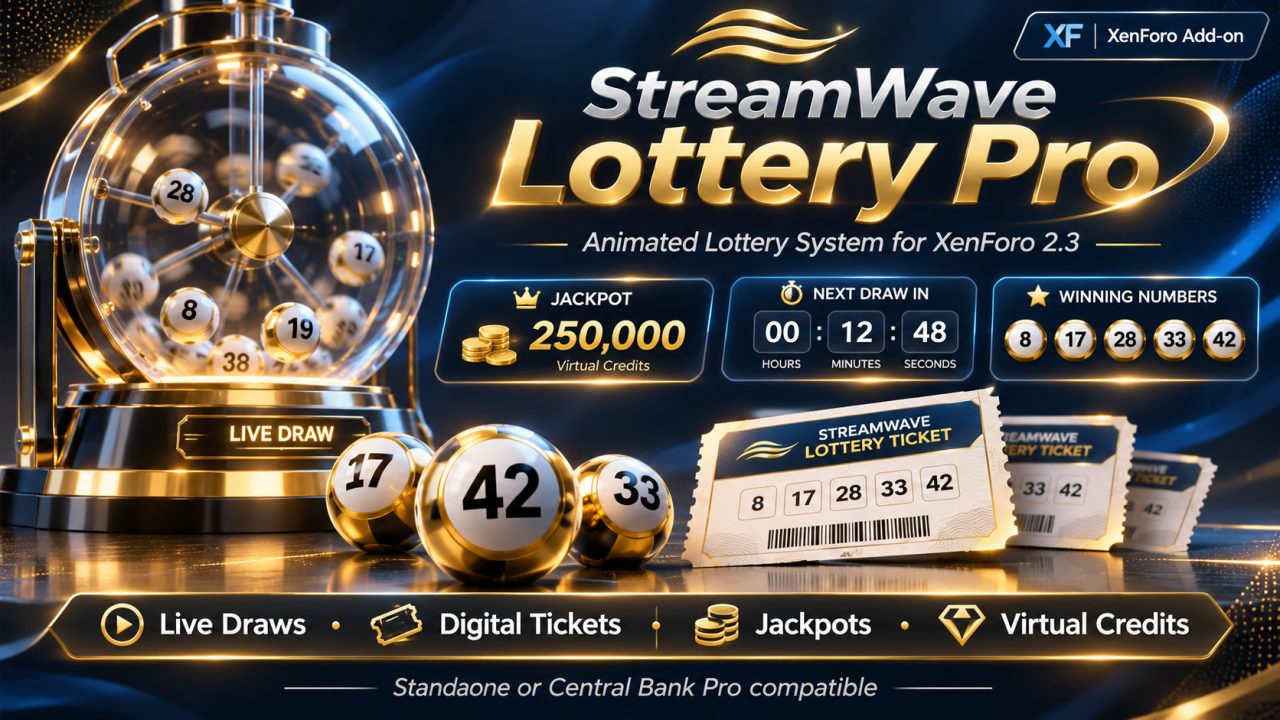
Transform your XenForo community into an interactive lottery destination with StreamWave Lottery Pro, a feature-rich virtual lottery system featuring animated lottery machines, scheduled draws, realistic digital tickets, multiple lottery formats, progressive prize pools and automatic prize settlements.Designed to encourage community participation, Lottery Pro delivers an immersive lottery experience using non-redeemable virtual community credits.
Whether you operate an established community economy or simply want to introduce an entertaining new activity to your forums, Lottery Pro can operate independently without requiring an additional banking add-on.
Premium interactive lottery studio
The lottery studio brings the excitement of a live lottery draw directly into your community.Features include:
- Animated lottery drawing machine.
- Individually numbered lottery balls.
- Synchronized winning number reveals.
- Live countdown to the next scheduled draw.
- Current prize pool displays.
- Interactive lottery number selection.
- Multiple lottery games.
- Previous winning numbers.
- Responsive desktop and mobile layouts.
- Premium midnight-blue and gold styling.
- Latest draw replay.
Seven included lottery games
| Lottery | Game format | Default interval |
|---|---|---|
| StreamWave Millions | 6 from 49 | Weekly |
| Power Jackpot | 5 from 69 + Power Ball from 26 | Every 3.5 days |
| Lucky Five | 5 from 35 | Daily |
| Daily Pick 3 | Three ordered digits | Daily |
| Daily Pick 4 | Four ordered digits | Daily |
| Community Raffle | Unique ticket numbers | Weekly |
| Super Jackpot | 6 from 59 | Every 30 days |
Administrators can also create additional lottery games using the custom lottery creation system.
Realistic digital lottery tickets
Members receive individual digital lottery tickets containing their entry information.Ticket features include:
- Unique ticket references.
- Selected lottery numbers.
- Associated lottery game.
- Draw identification.
- Entry cost.
- Ticket status.
- Prize won.
- Personal ticket history.
- Browser-printable ticket designs.
- Manual number selection.
- Automatic Quick Pick selection.
- Multiple ticket lines per purchase.
Automatic jackpots and prize distribution
Ticket sales contribute to the associated lottery prize pool.Once a scheduled draw becomes due, Lottery Pro generates the winning numbers, checks eligible tickets and calculates prizes automatically.
Standard number-based lotteries distribute their available prize pool across three prize tiers:
- First prize tier: 70%.
- Second prize tier: 20%.
- Third prize tier: 10%.
Unclaimed prize allocations and rounding remainders are carried forward into future draws.
Ordered-digit lotteries and raffles allocate their prize pool to qualifying winners.
Prize pools are funded through ticket sales rather than unlimited currency creation.
Flexible economy integration
Central Bank Pro is completely optional.Standalone credits
Lottery Pro includes its own independent virtual economy, allowing communities without an existing credit system to operate paid virtual-credit lottery games.The standalone economy includes:
- Initial treasury of 1,000,000 virtual credits.
- Individual member wallets.
- Administrator-controlled credit allocations.
- Username-based credit distribution.
- Automatic ticket purchase deductions.
- Automatic prize payments.
- Dedicated prize escrow.
- Transaction history.
- Financial reconciliation.
Central Bank Pro integration
Communities operating StreamWave Central Bank Pro can integrate Lottery Pro into their established economy.Supported functionality includes:
- Existing member currency balances.
- Centralized treasury accounting.
- Existing configured currency providers.
- Automatic financial settlements.
- Dedicated lottery escrow.
- Financial auditing.
Free-to-play mode
Administrators can operate lotteries without charging members any credits.Free-to-play lotteries record matching tickets and results without paying spendable currency prizes.
Premium forum sidebar widget
Keep members informed of upcoming lottery draws without requiring them to leave the forum homepage.The Lottery Pro jackpot widget includes:
- Current jackpot and prize pool.
- Live countdown.
- Glossy numbered lottery balls.
- Recent winning numbers.
- Personalized ticket count.
- Upcoming lottery games.
- Direct lottery entry button.
- Draw results navigation.
- Premium responsive styling.
Comprehensive administration center
Lottery Pro includes dedicated administration navigation within the XenForo Admin Control Panel.Games & draws
Configure existing lottery games, create additional games, manage scheduling, enable or disable entries and review recent draws.Tickets & winners
Review lottery entries, ticket statuses and prize amounts.Administrators can search ticket records using a member's username.
Financial audit
Monitor lottery escrow, outstanding prize obligations and economy reconciliation.Standalone virtual economy
Review issued credits, available treasury funds, member balances, reserved funds and recent transactions.Installation and operating instructions
1. System requirements
- XenForo 2.3.
- PHP 8.0 or higher, subject to XenForo's requirements.
- A functioning XenForo cron and job system.
- Central Bank Pro v1.5.5 or compatible version — optional.
- StreamWave Gaming Hub — optional.
2. Installing Lottery Pro
- Back up your XenForo installation and database.
- Log into your XenForo Admin Control Panel.
- Navigate to Add-ons.
- Select Install/upgrade from archive.
- Upload the Lottery Pro installation ZIP.
- Complete the installation.
3. Configuring permissions
Navigate to:ACP → Groups & permissions → User group permissions
Select the appropriate user group and locate the Lottery Pro permission section.
Available permissions include:
- View Lottery Pro.
- Enter lottery draws.
Administrators managing the system require the Manage Lottery Pro administrator permission.
4. Configuring your first lottery
Navigate to:ACP → Lottery Pro → Games & draws
Locate the lottery you wish to activate.
Configure the following settings:
- Economy / currency: Select standalone credits, free play or an initialized Central Bank currency.
- Whole credits per line: Set the entry cost for each lottery line.
- Draw interval: Specify the time between draws in seconds.
- Availability: Enable entries and scheduling.
- Confirm that the currency has no real-money value and cannot be redeemed.
Common draw intervals
| Frequency | Seconds |
|---|---|
| Every hour | 3600 |
| Every 6 hours | 21600 |
| Every 12 hours | 43200 |
| Daily | 86400 |
| Every 2 days | 172800 |
| Every 3.5 days | 302400 |
| Weekly | 604800 |
| Every 14 days | 1209600 |
| Every 30 days | 2592000 |
Changes to an existing draw's price and schedule take effect with subsequent draws.
5. Allocating standalone credits
When using the standalone economy, members need sufficient credits to enter paid lotteries.Navigate to:
ACP → Lottery Pro → Games & draws → Allocate standalone credits
Enter:
- The member's exact username.
- The number of whole credits to allocate.
The credits will be transferred from the standalone treasury into the member's lottery wallet.
6. Creating custom lotteries
Within Games & draws, locate Create lottery game.Configure:
- Game name.
- Lottery format.
- Number of selections.
- Main number pool size.
- Optional bonus ball pool.
- Economy provider.
- Ticket price.
- Draw interval.
- Availability.
For example, you could create a custom lottery called Weekend Jackpot using five numbers from a pool of 40, with its own entry cost and prize pool.
7. Managing scheduled draws
Lottery Pro checks for due draws through the XenForo cron system.Administrators can also select:
Run due draws / retry settlements
This processes eligible draws and retries outstanding settlements.
It does not allow administrators to manually select winning numbers.
Open draws can be cancelled using the draw manager. Cancellation queues eligible ticket refunds and preserves previously accumulated rollover funds.
8. Installing the sidebar widget
Navigate to:ACP → Appearance → Widgets
Select Add widget, then choose:
Lottery Pro: jackpots
Enter a widget title and unique widget key.
Choose the desired display position, such as Forum list: Sidebar, and save.
9. How members play
- Select Lottery from the forum navigation.
- Choose an available lottery game.
- Review the entry cost, prize pool and next draw.
- Select the required numbers or use Quick Pick.
- Choose the number of ticket lines.
- Confirm the entry.
- Visit My tickets to review the purchased tickets.
- Return to the lottery studio to view the winning number reveal.
- Check the ticket history for results and any awarded credits.
A ticket displaying a prize of zero before the draw does not indicate that the lottery jackpot is zero. It indicates that no prize has yet been awarded to that ticket.
10. Financial management
Regularly review the Lottery Pro financial audit to ensure economy and escrow differences remain at zero.Before changing currency providers, ensure existing draws, outstanding prizes and rollover funds have been resolved.
Existing Central Bank-funded lotteries require their original banking provider to complete settlement.
Do not uninstall the add-on while outstanding financial obligations remain.
Compatibility and responsible use
StreamWave Lottery Pro is designed exclusively for entertainment using virtual, non-purchasable and non-redeemable community credits.It does not support real-money wagering, cash prizes or payment processing.
Current release: v1.0.5
Developed by StreamWave.
Visit https://streamwaveforums.net/
Reviews
No reviews yet
- Last updated
- Category
- Xenforo Addons
- Sales
- 0
- Support
- 90 days after purchase